
Pay Monthly Card Update
How to update your monthly season ticket payment card
If you pay for your Darlington FC season ticket monthly and need to update your debit or credit card, you can do this securely online in just a few minutes.
You don't need to contact the club. Simply follow the instructions below.
Step 1 – Log in to your Darlington FC account
Visit your YOURCLUB account and log in using your Fan ID and password.
Step 2 – Manage your ticket subscription
Once logged in, find the Ticket Subscription section of your account.
Select the red MANAGE button.
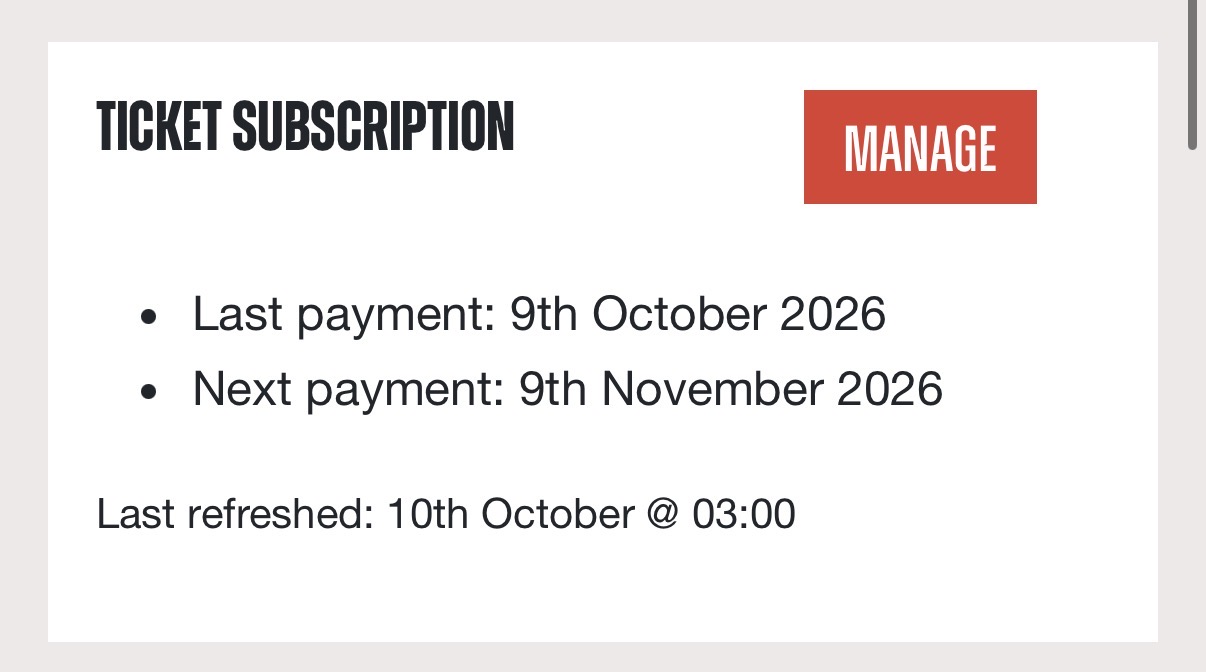
This will take you securely to our payment provider, Stripe, where you can manage your payment details.
Step 3 – Add your new card
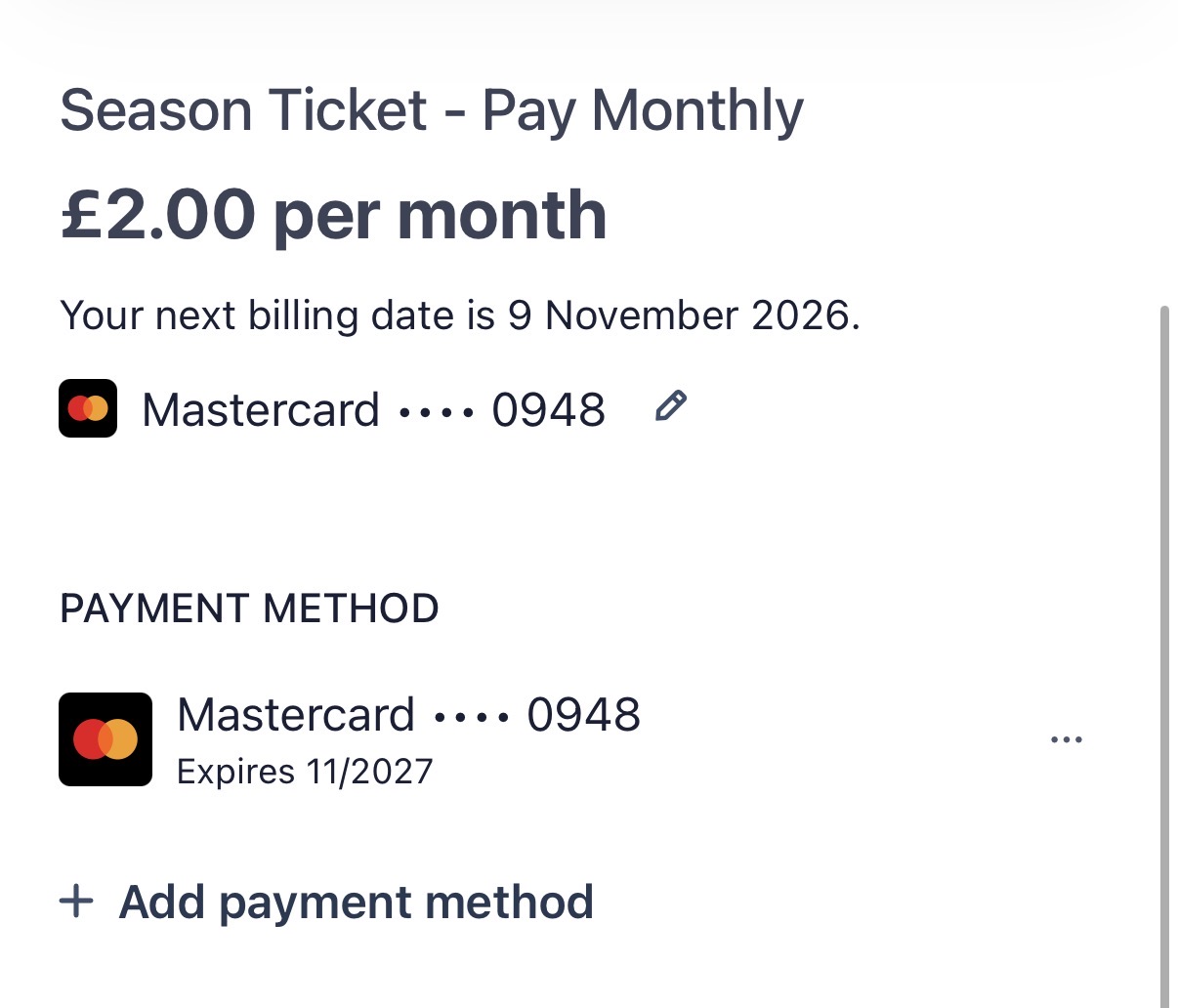
On the Stripe payment page, you'll see your existing payment method and the date of your next monthly payment.
Select + Add payment method and follow the instructions to enter and save your new card details.
Step 4 – Remove your old card
Once your new card has been added:
Make sure your new card is set as the default payment method, if that option is shown.
Select the three dots (•••) alongside your old card.
Choose Delete to remove the old card.

Your new card will now be available for future monthly payments.
That's it!
Your payment details have been updated.
Your season ticket subscription will continue as normal, with future payments collected automatically using your updated payment method.